Guide
What Is a Normal Map?
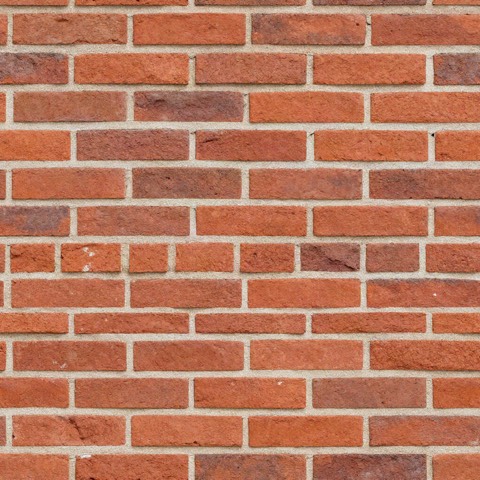
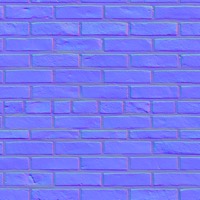
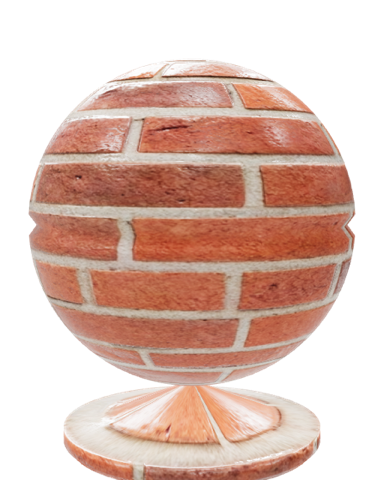
A normal map is an image that stores, for every pixel, which way the surface faces. A 3D renderer reads it while lighting a flat polygon and shades each pixel as if it were tilted, so bricks, scratches and wood grain catch the light without extra geometry. The purple-blue colour comes from how the direction is packed into red, green and blue. The Normal Map Generator makes one from any picture in your browser, for free, so you can see the idea on a real material.
Why it is purple
Each pixel holds a direction with three parts: left–right in red, up–down in green and towards you in blue. A surface facing straight out has no left–right or up–down lean and points fully towards you, which is stored as about (128, 128, 255): a light blue-purple. Edges that lean left, right, up or down shift towards pink, green or darker blue.
Green has two conventions. OpenGL style (used by Blender, Unity and Godot) stores "up" as more green; DirectX style (used by Unreal Engine and 3ds Max) flips it. A map in the wrong style makes bumps look like dents. The DirectX switch under Normal on this page flips it for you.
What it does and what it cannot do
A normal map changes only shading. The outline of the object stays flat, and nothing casts a real shadow onto its neighbours. For real depth you add a height (displacement) map, which moves the geometry, or parallax in a game engine.
It works best for small detail: mortar lines, pores, scratches, fabric weave. Large shapes such as a whole rock or a door frame are better modelled.
How to make one
You can bake a normal map from a detailed 3D model onto a simpler one, paint it in tools such as Substance, or estimate it from a photo. This page does the last one: it reads brightness as height and turns the slope into a normal map, together with height, roughness and ambient occlusion maps. For a fuller material, an AI texture set reads the material in a photo or paints one from a description.
Try it on your own texture
Make normal, height, roughness, AO and ORM maps in your browser, free and with no sign-up.